

What Anaplan does
Anaplan is a planning tool for large businesses. Businesses use it to build models that help them forecast what would happen in different scenarios. The Anaplan mobile app gives people access to those plans on their phone.
Who I worked with
I was the lead designer on the mobile team, working with a product manager and four engineers.
A growing app with no shared standards
When I joined the team, the Anaplan mobile app had been live for a couple of years, and it was starting to show a lot of inconsistencies between screens.
The mobile team also wanted to make it easy for other teams to contribute to the app. For that, we needed clear standards to share with the rest of the organisation. Work was already underway on a design system for web, so we planned to use its learnings, insights and style guide to create a design system specifically for mobile.
Three things shaped the design
Fitting typography to a small screen
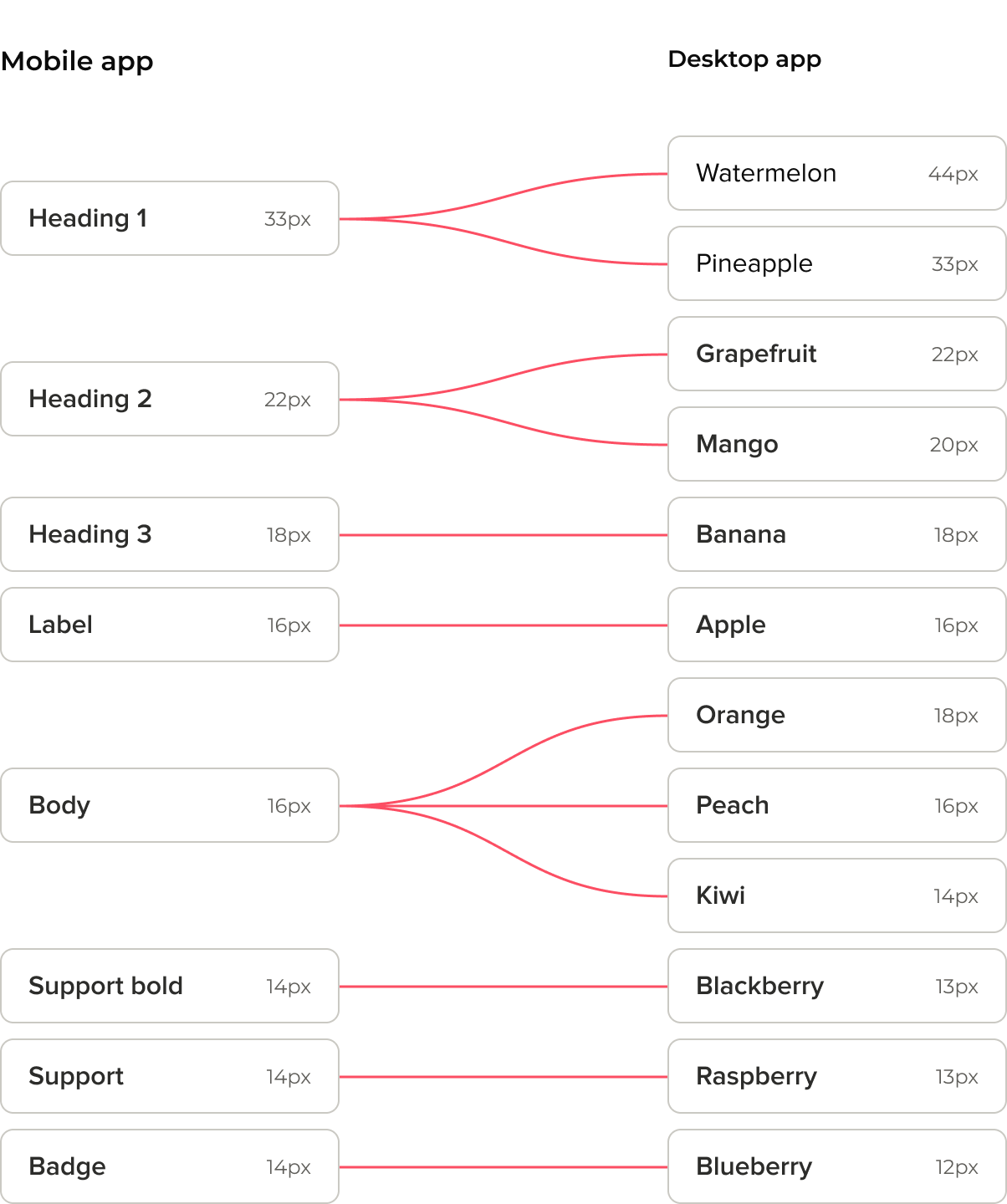
I started with typography. The web design system had a typography hierarchy of more than 10 levels, which web needed to support a wide range of content types.
Mobile had mostly the same range of content, but such a deep hierarchy wasn’t practical. Screen space limited how large fonts could get, and accessibility guidelines limited how small they could get. So I reduced the hierarchy to five levels, and mapped the web levels to the mobile ones. This made it easy to repurpose web content for mobile, and vice versa.
Diverging from web where mobile needed it
I worked hard to keep the mobile design system consistent with web. But in some areas, I chose to diverge because of mobile-specific usability issues.
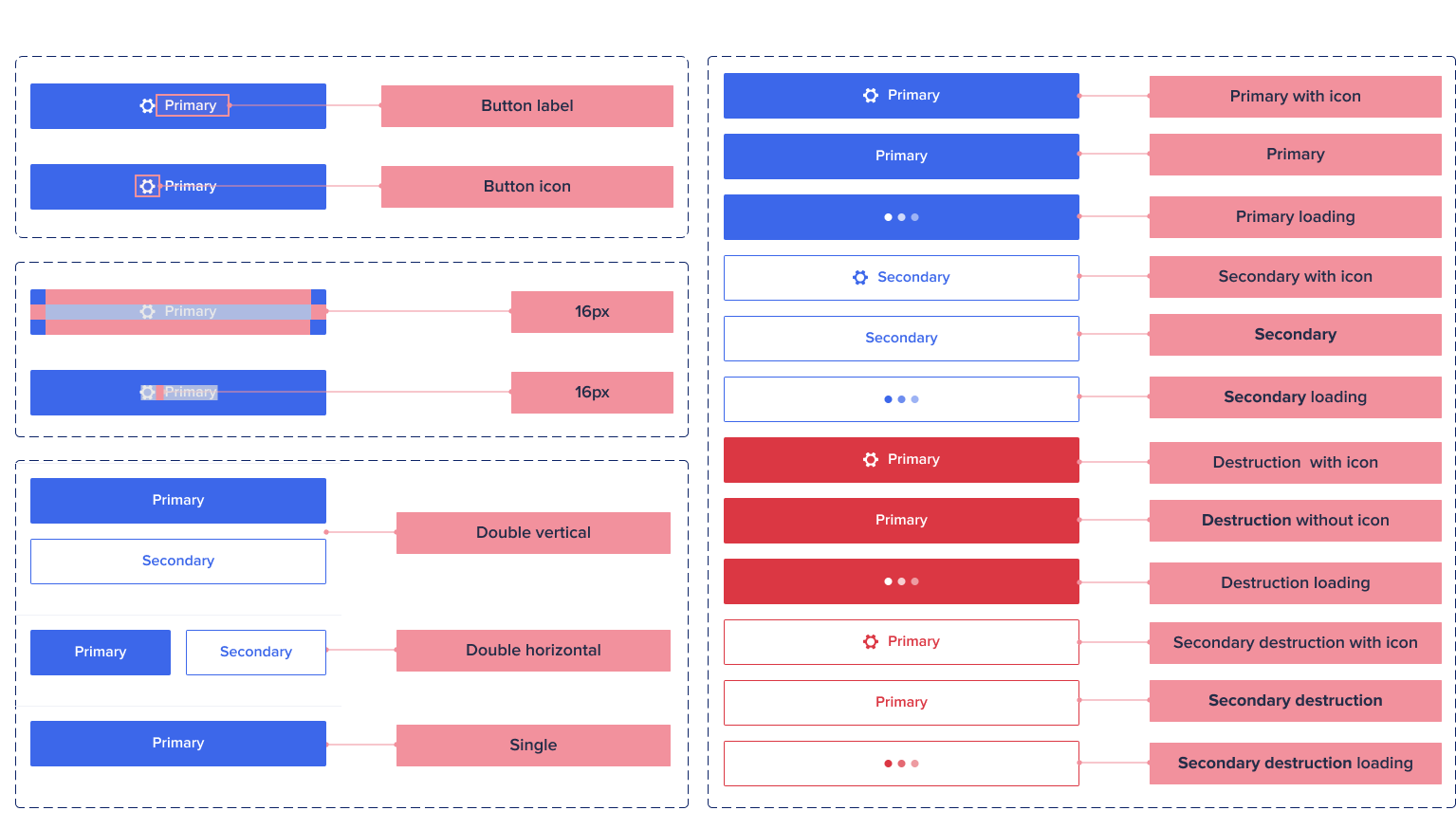
The button was the component most affected. On web, a button’s width is usually set by its text. On mobile, buttons should be easy to reach for both right-handed and left-handed users, so full-width buttons are preferable. I also created rules for when side-by-side buttons work better, for example when buttons are fixed to the bottom of the page and need to take up as little space as possible.
Disabled buttons were another example. They were heavily used on web, mainly because hover tooltips could deal with their accessibility issues. Phones can’t hover, so I created rules that stopped the use of disabled buttons on mobile. Instead, feedback shows users when they can’t move forward.
Making the most of the phone
I also wanted to consider mobile-specific benefits, not just mobile-specific issues. Phones have capabilities that are hard to replicate on desktop, and I wanted anyone working on the Anaplan mobile app to use them.
The camera and microphone are good examples, especially for data entry. So I made sure there were clear guidelines on how to use them to improve the overall experience.
A design system that kept evolving
The initial work took just under a month, but I never really stopped working on it. For me, a good design system needs constant reviews and updates. That’s the only way to keep it fit for purpose. So I worked closely with developers and other designers to understand how the design system worked for them, and when it didn’t, I made the necessary changes.
With a style guide and best practices for other designers to use when designing and building for the app.