
What Anaplan does
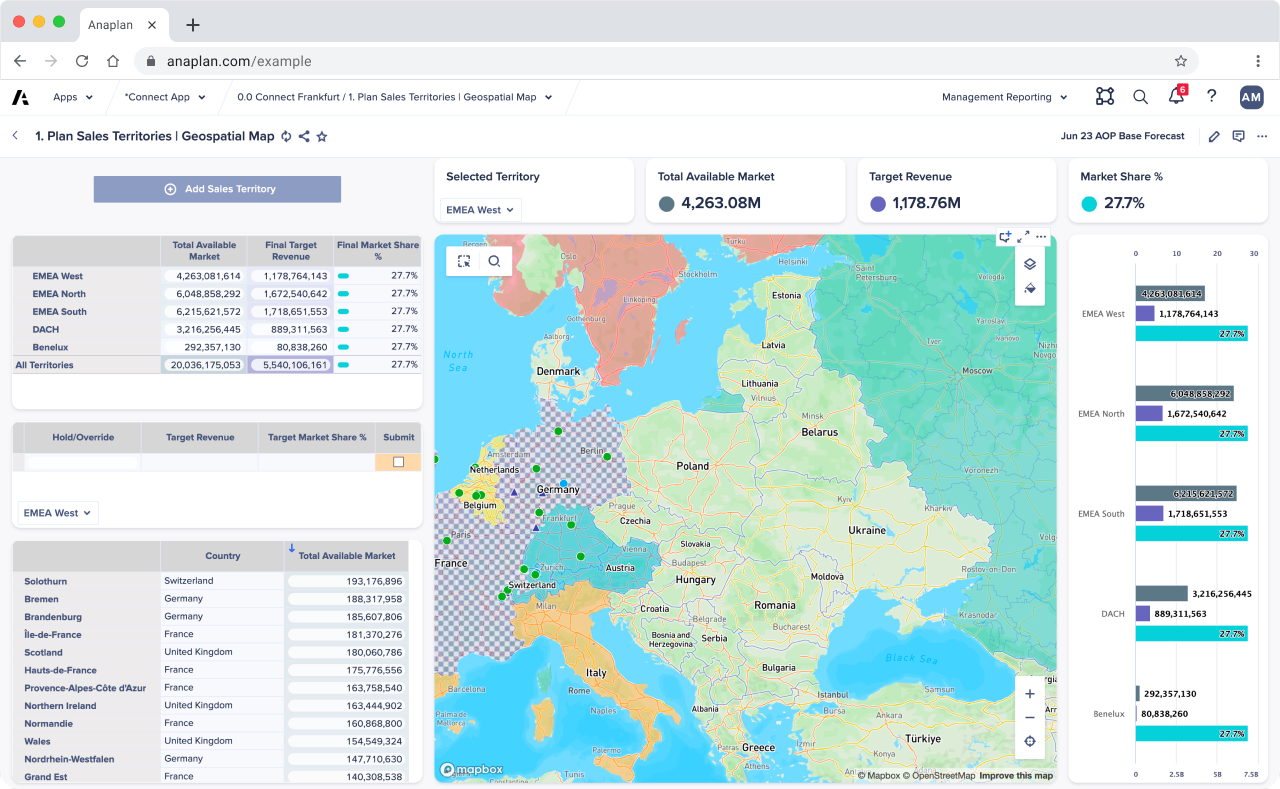
Anaplan is a planning tool for large businesses. Businesses use it to build pages that visualise data from their models. Decision makers then use these pages to review the data and make decisions.
Who I worked with
I was the sole designer in the team, working alongside a product manager, a researcher, five developers and a marketing lead.
There was no way to show where things happen
Research found a gap in the tools Anaplan offered page builders for creating data visualisations. A key part of planning for our customers was understanding how geography affects timescales, supply chains and the organisation of people, but there was no way to visualise any of this.
As a result, a project was launched to create a new way for page builders to show geographical data.
How I approached the problem
-
Step 01
Research
Worked with a researcher to review existing studies on the topic and consolidated feedback from customer service.
-
Step 02
Define
Ran a workshop with the PM, lead engineer, researcher and other designers to frame the problem and agree what success looks like.
-
Step 03
Concepts
Explored concepts for how planning data could be displayed on geographical maps.
-
Step 04
Test and refine
Ran testing sessions with users and worked with the lead engineer on possible solutions.
-
Step 05
Delivery
Worked with engineers and the PM to deliver the designs, making changes where needed.
-
Step 06
Measure impact
Used analytics tools and user feedback to measure usage and gauge impact.
Three things shaped the design
Working with a third-party tool
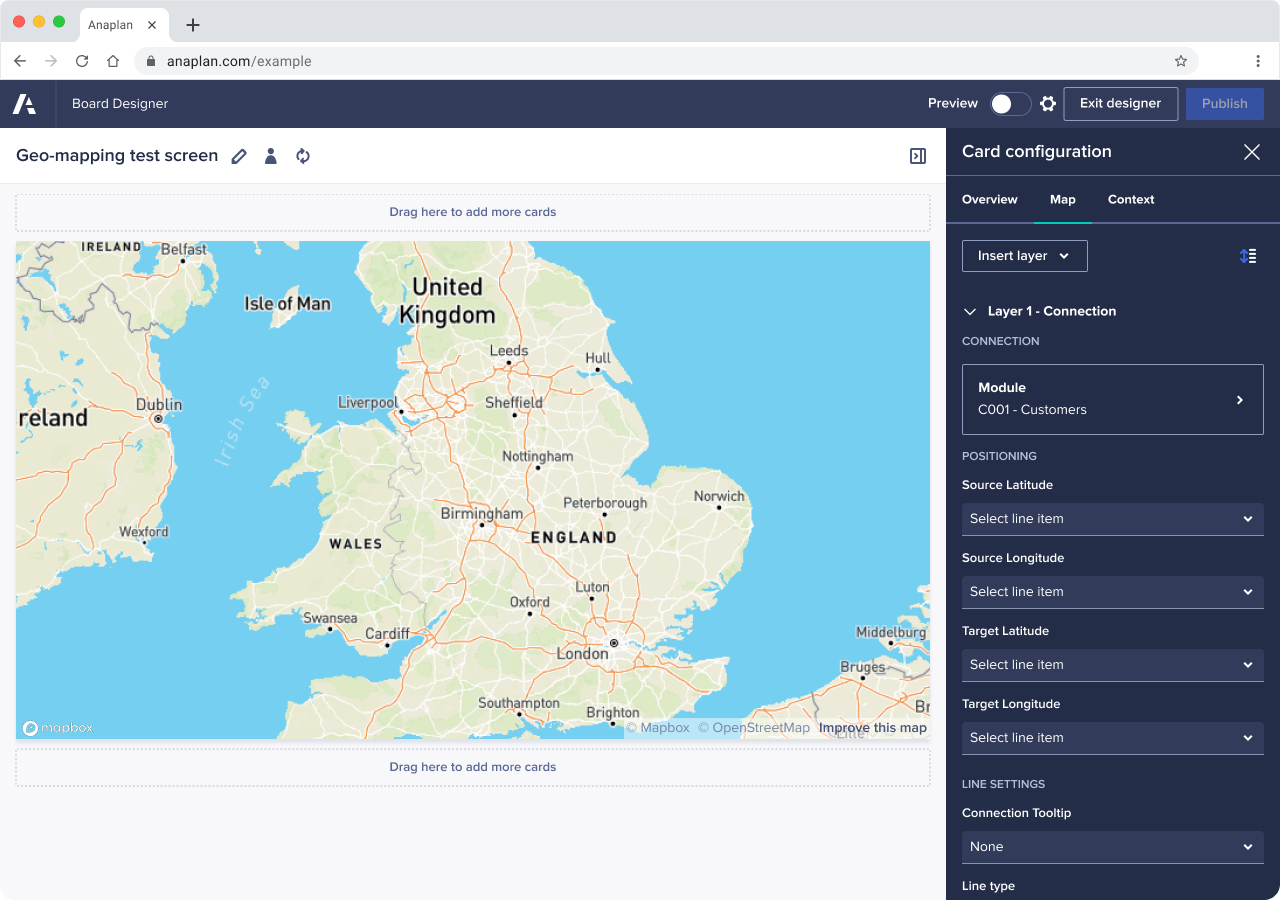
Anaplan didn’t have the expertise or time to build a mapping tool from scratch. Instead, it was decided that it would be more efficient to work with a third party, Mapbox, who would provide the mapping features.
My job was to take those existing features and Anaplan’s design guidelines, and come up with a concept that was both feasible and aligned with the guidelines. This meant working through Mapbox’s documentation to understand in depth how it works, so I knew how to design for it.
Designing for others to build
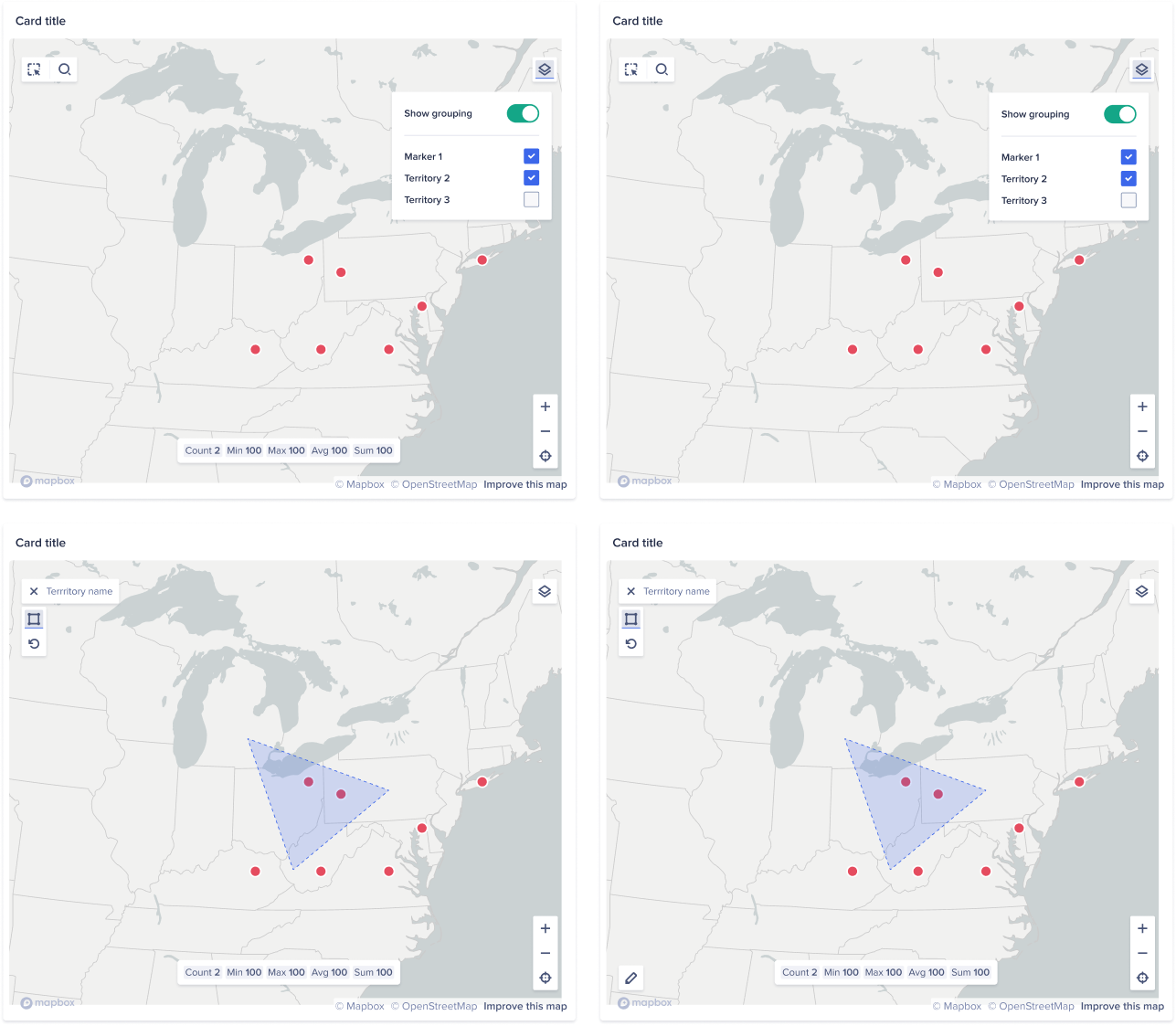
What I created wasn’t what end users would see. It was the set of tools page builders needed to create what was required. Research showed that most page builders were not designers by trade; they were usually data scientists and analysts.
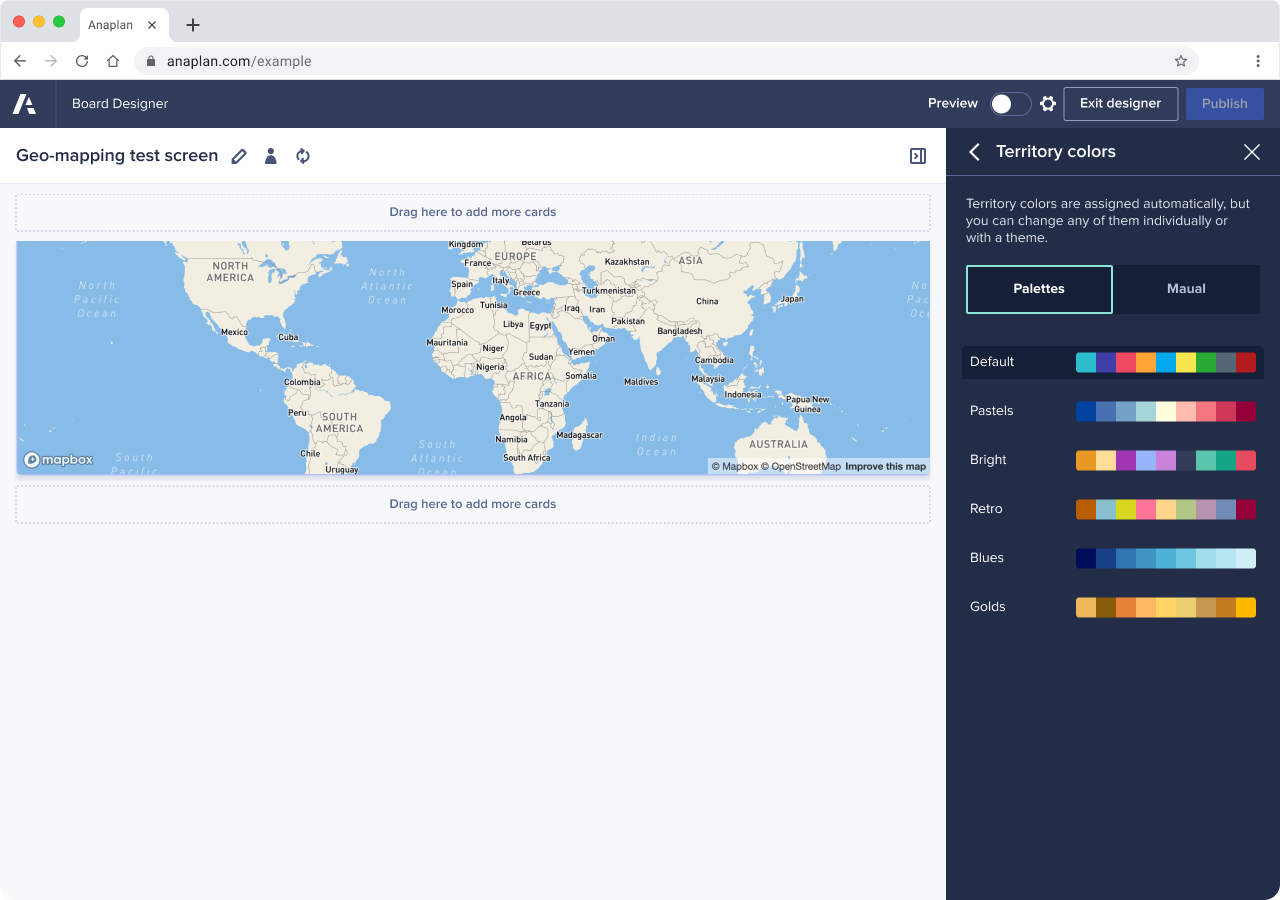
So my role was not just to give them the tools to build, but also to guide them towards building something that works and is actually usable. This meant balancing guard rails with enough flexibility to meet a much broader range of needs. For example, I provided colour palettes that were accessible and worked well together, while still letting builders override the colours when they needed to.
The feature was going to be one of dozens
Even though this feature was needed, it would eventually be just another tool in a page builder’s toolbox. It had to fit in with the other tools, but it also needed to stand out so builders knew they had a new way to visualise data.
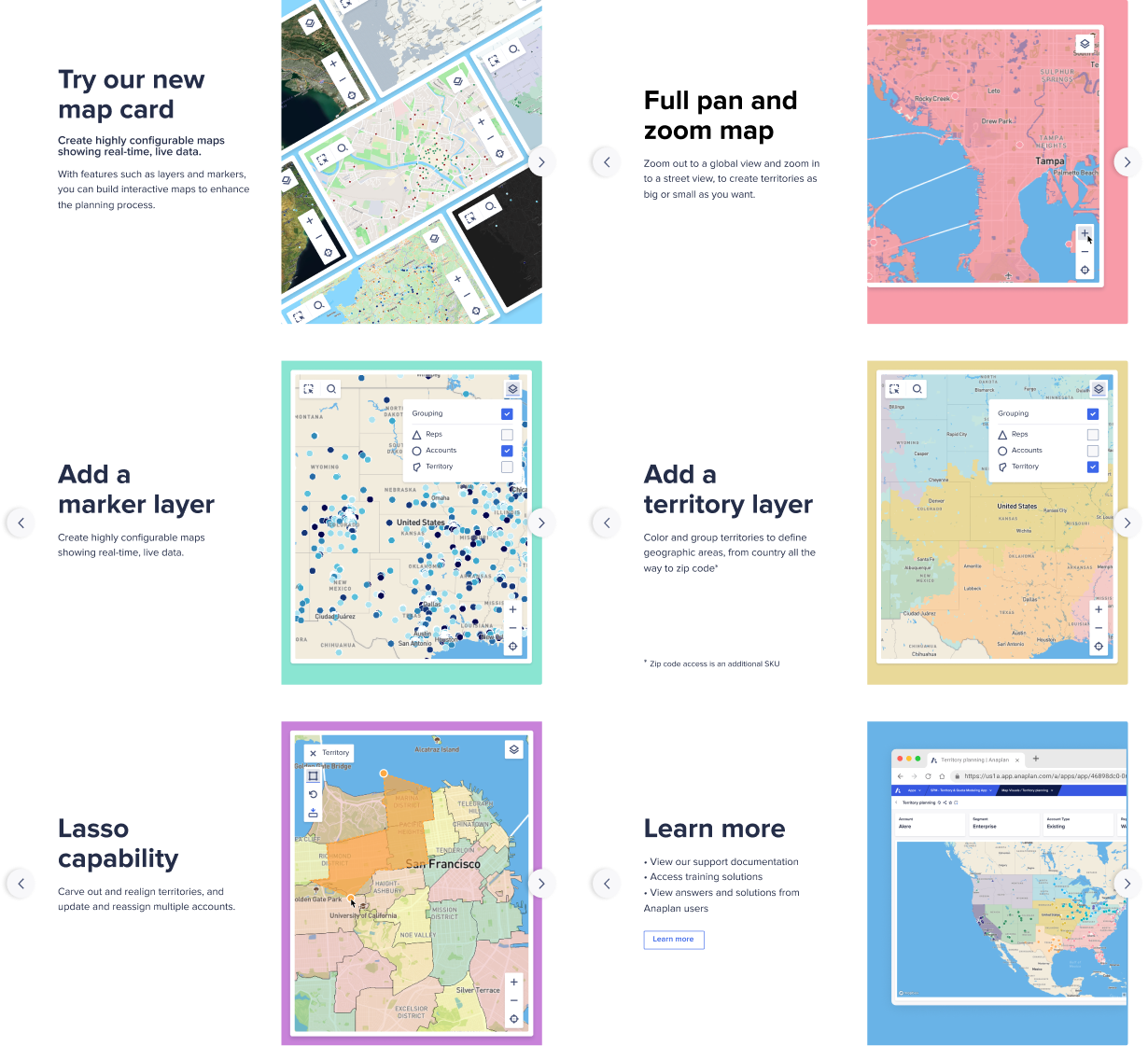
I worked with the marketing team to highlight the feature through existing channels. I also designed an in-app experience that promoted the tool and showed how it worked. To avoid disrupting other tools and existing user flows, the tool was only suggested when it looked like a builder was about to create something that needed a map. An overlay modal then let them learn more.
A new way to plan, and a new project
As a direct result of the new feature, and working with marketing to promote it, Anaplan increased its quarterly sales revenue by $180 million.
The colour palette work was successful enough to launch another project, letting builders create and store palettes for their pages.
Designing for builders is not designing for end users
Designing for people who go on to design and build for end users is not the same as designing for end users themselves. Page builders need flexibility and scale far more than end users do, and there was no way for me to predict everything they might need to do their jobs.
So the tools I gave them sometimes had to sacrifice being as easy as possible to use, in order to be extensive enough to do more. It also meant much more research and testing than when designing for end users, because builders had a much wider range of use cases to test for and consider.